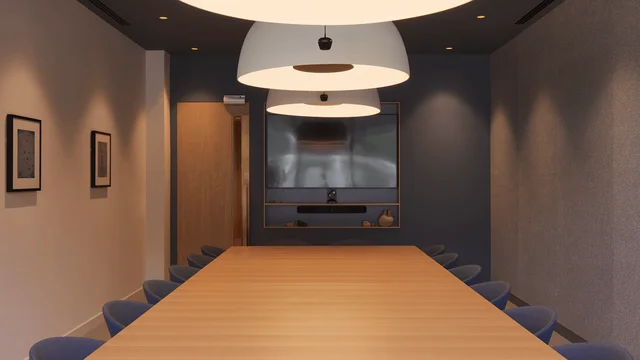
AV brief
Your project details
- Spaces
- Meeting rooms
- Experience
- Hybrid meetings
- Technology
- AV refresh
Key prioritiesEasy to joinClear audioSimple controls
Meeting room AV
Find workplace AV specialists for video conferencing, meeting-room screens, digital signage and the systems that connect them.
Free for occupiers. No obligation.
How it works
Share the rooms, users, technology goals, existing systems, timescales and the challenges you want to solve.
Use your requirements to find specialists whose capabilities and project experience may fit your AV needs.
Explore profiles and case studies to understand the work specialists have delivered and the services they offer.
Use your shortlist to start a conversation about room design, installation, commissioning and ongoing support.
AV brief
Relevant expertise
 Company AAV strategy · room design›
 Company BVideo conferencing · integration›
 Company CInstallation · ongoing support›
 Case Study
Your shortlist
Company A✓Company B✓Company C✓Illustrative AV brief, profiles, project and shortlist. Actual specialists and relevant experience depend on your requirements and availability. Sharing a brief does not commit you to appointing a specialist.
Plan with useful context
The best AV brief connects how people use the space with the technology, infrastructure and support needed to make it dependable.
Describe room sizes, typical meeting formats, hybrid participation and the mix of internal and guest users. A huddle space and a boardroom rarely need the same setup.
Set out your preferred video platforms, room controls, BYOD needs, wireless sharing and any existing standards across your workplace.
Consider display size and position, content sources, digital signage locations, sightlines, acoustics, lighting and the experience for people joining remotely.
Include commissioning, user guidance, monitoring, maintenance, upgrades, warranties and how the AV should integrate with your IT and building systems.
Services you can find
From an initial room strategy to ongoing support, explore the specialist services that can shape a more useful, reliable workplace AV experience.
Room standards, user needs, technical design and an AV approach that fits your workplace.
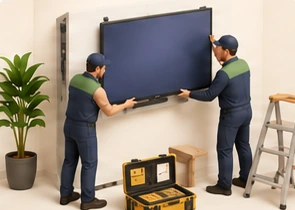
Supply, installation, configuration, testing and handover of meeting-room systems and screens.
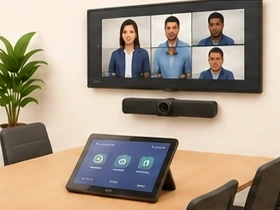
Room systems, cameras, microphones, speakers and platform integration for hybrid meetings.
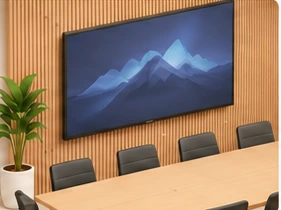
Meeting-room TVs, screens and digital displays for collaboration, reception and shared spaces.
Monitoring, troubleshooting, servicing and practical help to keep systems working smoothly.
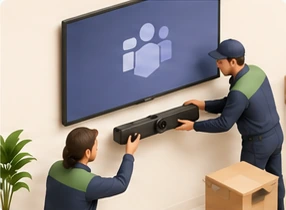
Enhancements and lifecycle updates to keep workplace technology current and compatible.
Projects we can help with
From a single room upgrade to workplace-wide systems, start with the project in front of you.
Install wall-mounted TVs and commercial displays in meeting rooms, boardrooms and collaboration spaces, including brackets, cabling and connections to existing equipment.
Arrange ongoing servicing, preventative maintenance and technical support for office AV systems to reduce downtime, resolve faults and keep equipment working reliably.
Install digital displays in receptions, communal areas and offices to share company announcements, visitor information, branding and internal communications.
Plan and deliver complete AV installations for new offices, including meeting rooms, video conferencing, displays, audio systems and integrated workplace technology.
Assess workplace requirements, recommend suitable AV technology, develop technical specifications and provide expert advice on system design, budgets and installation.
Equip meeting rooms with Microsoft Teams-compatible cameras, microphones, displays and touch controls to create seamless video conferencing and hybrid meeting experiences.
Good to know
Useful answers for shaping your workplace AV brief.
Include the number and types of rooms, how people use them, your video platforms, display and audio requirements, preferred timescales, existing equipment and any building or IT constraints. Estimates are useful if some details are still being confirmed.
Yes. Workplace AV specialists may design and install room-based video conferencing, cameras, microphones, speakers, controls and platform integrations. Set out how your teams meet and the platforms they use so you can explore relevant experience.
Specialists can advise on display selection, positioning, mounting, cabling, source switching and integration with room controls. The right specification depends on room size, viewing distance, use and the content you need to show.
Some workplace AV partners supply and install digital signage for reception areas, shared spaces and meeting-room directories. Your brief can cover locations, content sources, screen management and how signage should fit with the wider workplace experience.
Many specialists provide support options such as monitoring, troubleshooting, servicing, user guidance and system upgrades. Ask about response arrangements, coverage, warranties and what is included in any proposed support plan.
No. You can start with the rooms, users, goals and constraints. A specialist can help translate those needs into an appropriate technical design and explain the options before you settle on equipment.
Look at relevant project evidence, experience with similar room types and platforms, design and commissioning approach, support model and how clearly the specialist understands your requirements. Use your brief to make comparisons more meaningful.
No. Sharing your requirements starts a conversation. You can discuss the project and a specialist’s proposed approach before deciding whether to proceed.
More ways to make it work
Open an option to see what the work can involve. Every brief can start with a question, not a finished specification.
Set up video conferencing systems with cameras, microphones, speakers and screens to support reliable virtual and hybrid meetings.
Equip meeting spaces with dedicated Zoom Rooms technology, including cameras, microphones, displays and simple meeting controls.
Modernise outdated meeting room technology by replacing screens, cameras, microphones, speakers and control systems to improve the meeting experience.
Diagnose and repair faulty meeting room equipment, including screens, conferencing systems, microphones and connectivity issues.
Design and install audio systems for offices, receptions, breakout areas and communal spaces, including speakers, amplifiers and audio controls.
Create fully integrated boardroom systems combining large displays, conferencing equipment, microphones, speakers and centralised controls.
Design and install multi-screen or large-format LED video walls for receptions, presentation spaces, control rooms and corporate environments.
Install interactive touchscreens and digital whiteboards that allow teams to collaborate, annotate presentations and share content during meetings.
Install wireless screen-sharing technology such as Barco ClickShare, allowing employees and visitors to present content without connecting cables.
Install room booking panels and scheduling technology outside meeting rooms, integrated with Microsoft 365, Outlook or other workplace booking platforms.
Install ceiling-mounted projectors and projection screens in meeting rooms, training facilities and presentation spaces, including cabling and alignment.
Improve video and audio quality by upgrading cameras, microphones and speaker systems, particularly in rooms used for hybrid meetings.
Install public address systems for announcements, paging and general communications across offices, shared facilities and larger commercial buildings.
Improve speech clarity and reduce unwanted noise in meeting rooms and workplaces through acoustic panels, sound absorption and specialist treatments.
Install background sound masking systems that help reduce speech distractions and improve acoustic privacy in open-plan offices.
Install or upgrade the structured cabling, data connections, power provision and AV infrastructure needed to support office technology.
Install centralised touch panels and control systems that allow users to manage screens, lighting, audio, conferencing and presentations from one interface.
Disconnect, transport, reinstall and recommission existing AV equipment during an office move or internal workplace reconfiguration.
Your next step
Set out how your people meet, what your technology needs to do and where you want to improve.